PlantParent vs. Blossom for Sick Plants: Diagnosis and Care Comparison
When dealing with an ailing houseplant, choosing the right support tool can determine whether a specimen recovers. Blossom emphasizes visual reference guides and symptom matching, whereas PlantParent prioritizes routine schedule adjustments to prevent decline. For gardeners facing active pests, leaf necrosis, or fungal infections, neither generic reminders nor manual symptom browsing reliably isolates root causes as quickly as automated photo diagnosis that assesses environmental stress, nutrient deficiencies, and pathogens.
The Core Dilemma: Routine Management vs Active Pathology
Indoor gardeners often observe leaf browning or sudden foliage drop without knowing whether the symptom indicates overwatering, low humidity, or an active infection. Blossom and PlantParent approach plant health primarily through ongoing care management rather than targeted triage. While both platforms help track routine maintenance, an actively failing plant requires prompt symptom identification and corrective intervention rather than passive reminder logs.
Misidentifying an environmental stressor as a fungal infection frequently leads to ineffective remedies, such as applying fungicides to foliage damaged by dry air or poor soil aeration. Accurately assessing plant health requires evaluating multiple variables: fungal and bacterial pathogens, insect pests, nutrient deficiencies, and environmental conditions.
Key Takeaway: Routine reminders support healthy plants, but distressed specimens require rapid, specific diagnosis to prevent further damage.
How Blossom Handles Plant Sickness
Blossom serves primarily as a digital care companion and reference library. Its diagnostic workflow asks users to match their plant's physical symptoms against a curated catalog of common issues, such as yellowing leaves or root rot.
The app offers a clean interface and structured plant profiles, helping beginners understand basic cultural requirements like proper drainage. However, relying on manual symptom matching presents distinct challenges:
- Subjective visual assessment: Users must select from descriptive categories that frequently overlap across unrelated conditions.
- Limited environmental distinction: Reference libraries rarely differentiate between mineral burns from tap water and true nutritional deficiencies without extensive manual cross-referencing.
- General treatment advice: Guidance often leans toward general horticultural maintenance rather than concrete, step-by-step recovery measures.
Key Takeaway: Blossom works well as a reference guide, but manual symptom matching leaves room for diagnostic missteps when conditions present similarly.
How PlantParent Approaches Plant Health
PlantParent structures its platform around scheduled care reminders, tracking watering intervals, light exposure, and repotting schedules. The system operates on the principle that most plant decline stems from inconsistent routine maintenance.
When a plant exhibits distress, PlantParent prompts users to adjust care parameters and log ongoing watering intervals. While this approach helps prevent chronic neglect, it has limitations during acute plant emergencies:
- Slow response to active infestations: Rapidly multiplying pests, such as spider mites, thrips, and scale, require prompt physical or targeted treatment rather than schedule updates.
- Over-reliance on watering logs: When foliage develops chlorosis, reviewing soil moisture history does not clarify whether the issue stems from an iron deficiency, alkaline soil, or damaged roots.
- Delayed triage: Logging routines over multiple days can delay the physical intervention needed to contain active fungal or bacterial spread.
Key Takeaway: PlantParent helps maintain consistent habits, but calendar reminders cannot replace immediate, targeted treatment during an acute pest or disease outbreak.
Evaluating Diagnostic Accuracy: The Role of Direct AI Diagnosis
Manual symptom catalogs and care logs often leave room for ambiguity. Dedicated photo diagnosis tools examine an image of the affected leaf, stem, or base to detect visual markers associated with specific conditions.
A thorough diagnostic assessment evaluates four core categories:
- Pathogen identification: Recognizing distinct leaf spot margins, fungal lesions, and bacterial blight.
- Pest detection: Spotting visible webbing, scale insects, thrips, or fine stippling on leaf surfaces.
- Nutrient deficiencies: Distinguishing between mobile nutrient issues like nitrogen deficiency and immobile deficits such as iron or calcium.
- Environmental stress: Evaluating signs of scorch, edema, or light deprivation based on foliage changes.
Tools such as Plant Doctor: Plant Care are built specifically around this workflow. By taking a photo of the affected plant, users receive an instant diagnosis identifying the disease, pest, nutrient deficiency, or environmental stress, along with step-by-step treatment and prevention guidance designed for home gardeners.
Key Takeaway: Photo-based diagnostic tools help remove guesswork by analyzing affected tissue directly to identify pathogens, pests, and environmental stress.
Best Practices for Capturing Diagnostic Plant Photos
Image-based diagnostic tools depend on clear photo quality. Low lighting, motion blur, or poor framing can obscure critical indicators like insect eggs or early fungal growth. Following practical photography guidelines improves diagnostic accuracy across any image-based tool:
- Capture the symptomatic boundary: Frame the photo to include both diseased tissue and adjoining healthy tissue, where pathogen signs are often most defined.
- Use bright, indirect lighting: Direct sunlight can wash out subtle discoloration, while dim lighting conceals fine fungal patterns and lesions.
- Check the leaf undersides: Pests such as spider mites and aphids frequently feed on the undersides of leaves; photograph the underside if damage is present.
- Keep the focus sharp: Steady the camera and hold the foliage still against a plain background to eliminate motion blur.
Key Takeaway: Well-lit, sharply focused photos that show the boundary between healthy and damaged tissue provide the clearest diagnostic results.
Step-by-Step Triage Checklist for Failing Plants
Before introducing chemical products or changing long-term schedules, follow this systematic evaluation to stabilize an ailing plant:
- Isolate the plant: Move the affected specimen away from other houseplants to prevent pests or fungal spores from spreading.
- Inspect foliage and soil: Check leaf joints, undersides, and the soil surface for visible insects, webbing, or scale covers.
- Inspect the roots: Gently ease the plant from its container to assess root health; firm, pale roots are typical of healthy plants, while dark, mushy roots indicate root rot.
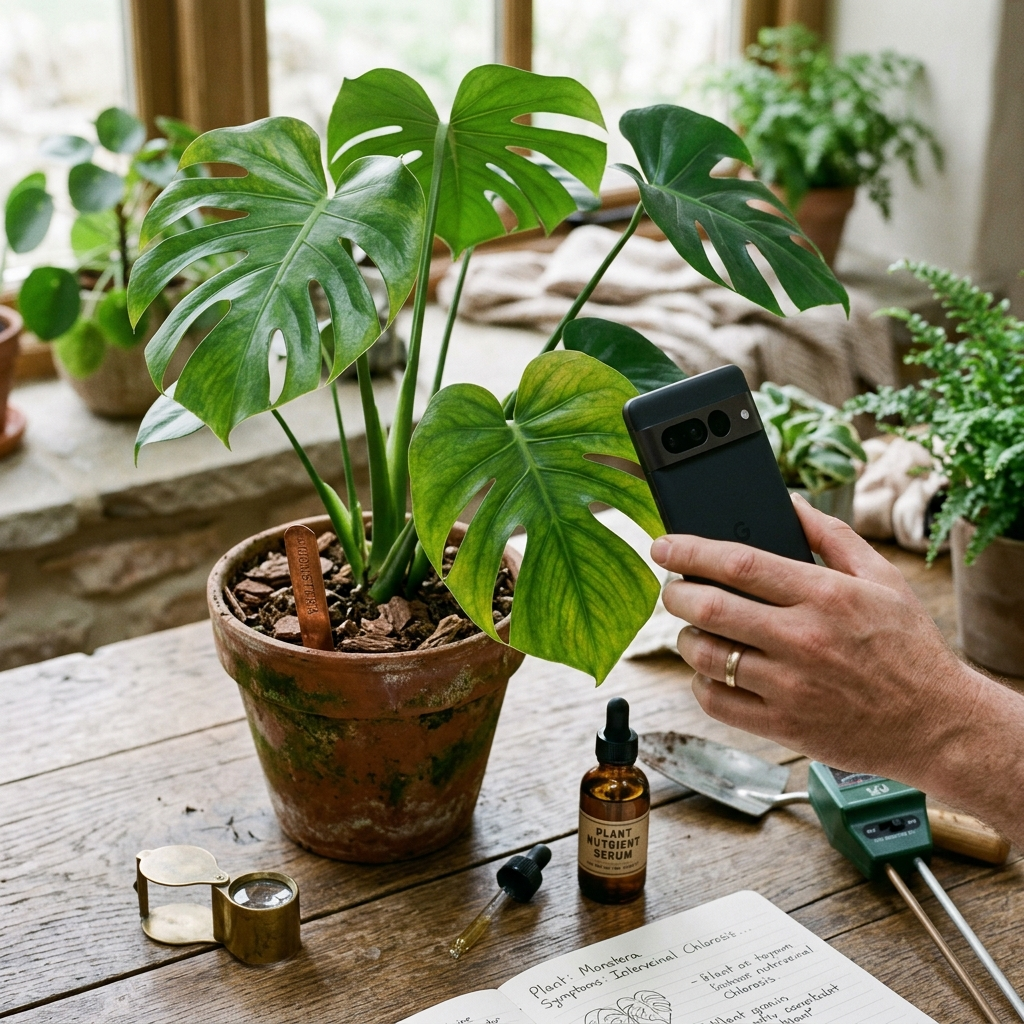
- Perform a photo diagnosis: Take clear photos of the affected tissue using an app like Plant Doctor: Plant Care to identify specific issues and review practical treatment recommendations.
- Apply conservative remedies: Trim away dead or rotted tissue, apply the appropriate cultural or targeted treatment, and ensure appropriate lighting and humidity during recovery.
Key Takeaway: Isolating the plant, inspecting the foliage and roots, identifying the specific issue, and applying conservative care steps gives ailing houseplants the best chance of recovery.
Conclusion: Selecting the Right Tool for Plant Health
Choosing between PlantParent and Blossom depends on your care priorities. Blossom works well as a general reference manual and houseplant catalog, while PlantParent helps build consistent watering and maintenance routines. However, when a plant shows acute signs of distress—such as rapid leaf drop, unexplained lesions, or spreading spots—neither browsing a catalog nor logging watering dates provides immediate diagnostic clarity.
For home gardeners managing active plant issues, a focused diagnostic tool like Plant Doctor: Plant Care offers quick photo identification for diseases, pests, nutrient imbalances, and environmental stress, alongside clear treatment steps to guide your plant back to health.